By Pablo Bravo
62% of restaurant customers use Google to search for a restaurant, and 51% call it the single best platform for finding one (PYMNTS, 2023). Before a diner sees your website or your Instagram, they see your Google Business Profile — the map listing with your name, photos, hours, and star rating.
72% of consumers use Google to find information about a local business (BrightLocal, 2024). If your profile is half-finished, wrong, or missing, you lose those diners to the restaurant three blocks away with a better listing. The food doesn't decide this fight. The profile does.
This guide walks you through claiming and verifying your profile, filling in every field that matters, ranking in the local map pack, and keeping the listing fresh. Beginner-friendly, step by step.
This is part of our restaurant marketing series. Pair it with our guide on getting more Google reviews for your restaurant, and see the full restaurant marketing guide for everything else.
Key Takeaways
- 62% of restaurant customers use Google to search for a restaurant (PYMNTS, 2023)
- Your Business Profile is the #1 local ranking factor, ~32% of map pack weight (Whitespark, 2026)
- Profiles with 100+ photos get 520% more calls and 1,065% more website clicks (BrightLocal)
- Google ranks local results on three things: relevance, distance, and prominence (Google)
What is a Google Business Profile and why does it matter for restaurants?
A Google Business Profile is your free listing on Google Search and Google Maps. It's the box that appears when someone searches your restaurant's name, and the stacked results in the "map pack" when someone searches "tacos near me" or "best brunch [city]."
For a restaurant, the profile does the job a storefront used to do. It shows your photos, menu, hours, price range, and reviews the moment someone is hungry and deciding. Most of that decision happens before a single click to your site.

It's also your single biggest lever in local search. Whitespark's 2026 Local Search Ranking Factors study puts the Business Profile itself at roughly 32% of map pack ranking weight — more than reviews, links, or your website. Get the profile right and you show up. Ignore it and you don't.
The best part: it's free, and it takes an afternoon to set up well.
How to claim and verify your restaurant's Google Business Profile
Claiming is the first step. Someone may have created a listing for your restaurant already — Google auto-generates them, and old owners or aggregators sometimes claim them. You need to own it.
Here's the setup walkthrough, in order:
- Search your restaurant on Google. If a listing exists, look for a "Claim this business" or "Own this business?" link. If nothing exists, go to google.com/business and choose "Add your business to Google."
- Enter your exact business name. Type it exactly as it appears on your signage and receipts. No city tags, no keywords — just the name. "Luigi's Trattoria," not "Luigi's Trattoria Italian Restaurant Downtown."
- Choose your primary category. Pick the most specific match, like "Italian restaurant" or "Taco restaurant," not just "Restaurant." This is a ranking signal, so be precise.
- Add your address and service area. Enter the physical address diners visit. If you also deliver, you can add a service area, but the storefront address is what matters most.
- Add your phone number and website. Use a local number and your real menu or homepage URL.
- Verify ownership. Google confirms you control the business. Options include a mailed postcard with a code, phone, email, or video verification. Restaurants are often asked for video verification — a short clip showing your storefront, signage, and interior.
- Wait for approval. Verification takes anywhere from minutes (phone/email) to a week (postcard). Until you're verified, edits won't go live.
Don't skip verification. An unverified profile can't be edited by you, and Google won't rank it well.
What should a restaurant's Google Business Profile include?
Everything. A half-filled profile ranks worse and converts worse. Google rewards complete listings, and diners trust them more. Fill in every field, then keep them current.
Here's what to complete, why it matters, and the quick action for each:
| Profile element | Why it matters | Quick action |
|---|---|---|
| NAP (name, address, phone) | Must match your website and every directory, or Google loses trust in your listing | Copy-paste identical NAP everywhere; fix old Yelp/Facebook entries |
| Primary + secondary categories | Primary category is a top ranking signal; secondary ones widen your reach | Set one specific primary (e.g. "Ramen restaurant"), add 2-3 relevant secondaries |
| Menu | 75%+ of diners check the menu before visiting | Add your menu link or upload dishes with prices |
| Photos & video | Profiles with 100+ photos get far more calls and clicks | Upload food, interior, exterior, and team shots; add new ones monthly |
| Hours & holiday hours | Wrong hours earn 1-star reviews you don't deserve | Set regular hours; update every holiday and seasonal change |
| Attributes | Filters like "outdoor seating," "vegan options," "dog-friendly" surface you in refined searches | Check every attribute that applies to your restaurant |
| Reservations & ordering links | Turns a browser into a booking without leaving Google | Connect OpenTable, Resy, or your ordering provider |
| Posts & offers | Fresh posts signal an active business and show specials in your listing | Publish one post per week: specials, events, new dishes |
| Q&A | Diners ask about parking, dietary options, group size — and strangers answer if you don't | Seed your own FAQs; monitor and answer new questions |
| Messaging | Lets diners text you directly from the profile | Turn on messaging only if you can reply within hours |
Two of these deserve extra attention.
NAP consistency is the quiet killer. If your address reads "123 Main St" on Google but "123 Main Street, Suite B" on Yelp, Google isn't sure they're the same place. That uncertainty drags your ranking. Pick one exact format and use it everywhere.
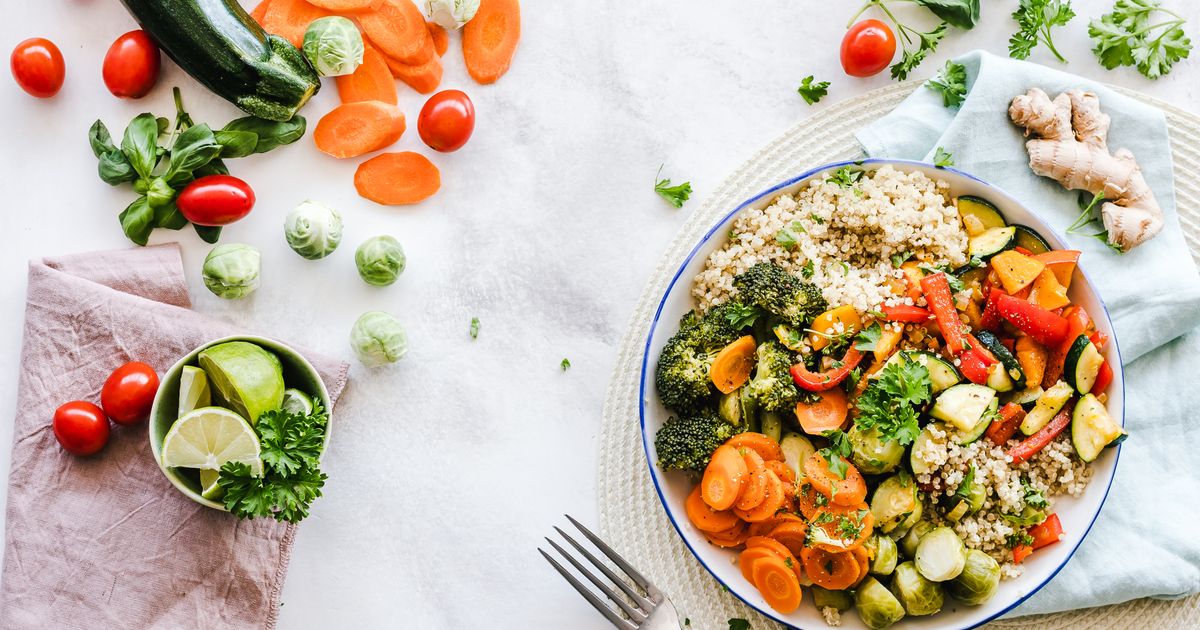
Photos do heavy lifting. BrightLocal's Google My Business Insights study found profiles with 100+ photos get 520% more calls, 2,717% more direction requests, and 1,065% more website clicks than the average business. Diners eat with their eyes. Upload real photos of your actual food, not stock images.
How do restaurants rank in the Google map pack?
Google ranks local results on three factors: relevance, distance, and prominence (Google Business Profile Help). You can influence all three.
Relevance is how well your profile matches the search. A search for "wood-fired pizza" rewards the profile with that category, those menu items, and reviews mentioning it. Fill your profile with accurate, specific detail and you match more searches.
Distance is how far you are from the searcher. You can't move your restaurant, but a consistent, accurate address helps Google place you correctly on the map. This is why NAP accuracy matters for ranking, not just trust.
Prominence is how well-known and active you are. Reviews, review recency, photos, posts, mentions across the web, and engagement all feed it. This is the factor you can grow the fastest.
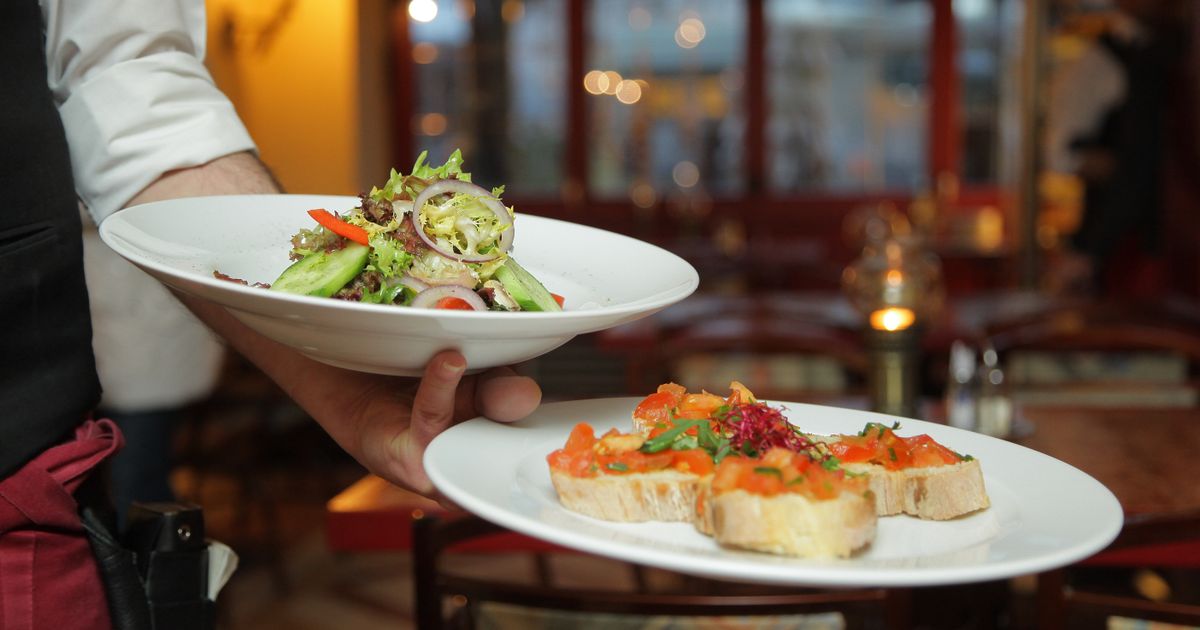
Here's how those signals turn into diners. Your profile is a funnel: local searches become profile views, views become actions like calls and direction requests, and a share of those become real visits.
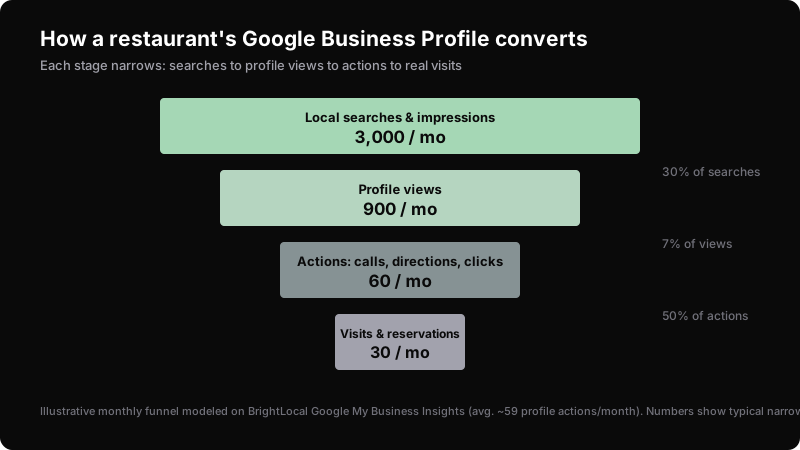
Every optimization widens one stage of that funnel. Better photos lift views. Reservation links lift actions. Accurate hours turn actions into visits instead of a locked door and a bad review. The average profile drives around 59 of those actions per month — a complete, active listing beats that easily.
How do reviews and responses lift your profile?
Reviews are a prominence signal, and they're one you can build every week. 71% of consumers use Google to read reviews of local businesses, and 45% left a Google review in the past year (BrightLocal, 2026). Diners read them, and Google counts them.
Volume, rating, recency, and your responses all matter. A restaurant with 12 old reviews looks dead next to one with 80 recent ones. And replying to reviews — good and bad — signals an active owner to both Google and future diners.
We cover the full system in our guide on getting more Google reviews for your restaurant, including copy-paste response templates and seven ways to ask without being awkward. Set up a steady stream. Two to four fresh reviews a week keeps your listing looking alive.
How often should you update your profile?
Weekly for posts, immediately for anything that changes. Google treats an active profile as a prominent one, and stale listings slide down.
Set this rhythm:
- Weekly: Publish one Google post — a special, an event, a seasonal dish, or an offer. It shows directly in your listing and signals activity.
- Monthly: Add a few new photos and review your attributes and menu for anything outdated.
- Immediately: Update hours for every holiday, change of season, or one-off closure. Wrong hours are the fastest way to earn a 1-star review.
- Ongoing: Answer new Q&A entries and reviews within a day or two.
Track what's working in the Performance tab (formerly Insights). It shows how people found you, how many called, requested directions, or clicked to your site. Watch which searches surface you and which posts drive actions, then do more of what moves the numbers.
Your profile doesn't live alone. Feed it with your restaurant's social media content, a consistent small-business social presence, and an email list that brings diners back. They all compound.
Common mistakes that tank your restaurant's profile
Most restaurants lose ranking to self-inflicted errors, not competition. Avoid these:
1. Keyword-stuffing your business name. Adding "Best Cheap Pizza Downtown" to your name violates Google's guidelines and risks suspension. Use your real name only.
2. Inconsistent NAP. Different addresses or phone numbers across Google, Yelp, and Facebook confuse Google and drag your ranking. Standardize everything.
3. Picking a vague primary category. "Restaurant" is weaker than "Vietnamese restaurant." Specific categories match more relevant searches.
4. Letting hours go stale. Nothing generates angry reviews faster than a diner arriving at a closed restaurant during posted hours. Update holidays every time.
5. Ignoring reviews and Q&A. Silence reads as a business that doesn't care. Strangers will answer your Q&A wrong if you don't answer first.
6. Thin or stolen photos. Blurry shots or reused stock images undersell your food. Upload real, well-lit photos of your actual dishes.
7. Setting it and forgetting it. A profile built once and never touched loses to an active competitor. Fifteen minutes a week keeps you ahead.
Restaurants that stay visible in AI-powered search win too. If you want to show up when diners ask an assistant for recommendations, see our guide on getting cited by ChatGPT and Perplexity.
Frequently Asked Questions
How do I set up a Google Business Profile for my restaurant?
Search your restaurant name on Google to see if a listing exists, then claim it — or add a new one at google.com/business. Enter your exact name, choose a specific primary category like "Italian restaurant," add your address, phone, and website, then verify ownership (often by video for restaurants). Once verified, fill in every field: menu, photos, hours, and attributes.
How do restaurants rank higher in the Google map pack?
Google ranks local results on relevance, distance, and prominence (Google). You can't move your restaurant, but you control the rest: complete every profile field, pick a specific primary category, keep NAP consistent everywhere, add 100+ real photos, publish weekly posts, and build a steady flow of recent reviews. Your Business Profile is the single biggest ranking factor at roughly 32% of the weight.
How many photos should a restaurant add to its Google Business Profile?
As many as you can, then keep adding. BrightLocal's data shows profiles with 100+ photos get 520% more calls and 1,065% more website clicks than average. Cover food, interior, exterior, and your team. Upload a few new ones every month so the listing stays fresh and active.
How often should I update my Google Business Profile?
Post weekly, add photos monthly, and update hours immediately whenever they change. Google treats active profiles as more prominent, so a weekly post about a special or event helps your ranking. Wrong holiday hours are the fastest way to earn a 1-star review, so fix those the moment anything changes.
Is a Google Business Profile free for restaurants?
Yes. Creating, verifying, and managing your Google Business Profile is completely free. There's no paid tier for the listing itself — Google makes money on ads, but your profile, photos, posts, reviews, and Performance insights all cost nothing. It's the highest-return free marketing channel most restaurants have.
Sources
- Google Business Profile Help, "Add or claim your Business Profile on Google," retrieved 2026-07-03, https://support.google.com/business/answer/2911778
- Google Business Profile Help, "Tips to improve your local ranking on Google," retrieved 2026-07-03, https://support.google.com/business/answer/7091
- Whitespark, "Local Search Ranking Factors," retrieved 2026-07-03, https://whitespark.ca/local-search-ranking-factors/
- BrightLocal, "Google My Business Insights Study," retrieved 2026-07-03, https://www.brightlocal.com/research/google-my-business-insights-study/
- BrightLocal, "Local Consumer Review Survey 2026," retrieved 2026-07-03, https://www.brightlocal.com/research/local-consumer-review-survey/
- BrightLocal, "Local SEO Statistics," retrieved 2026-07-03, https://www.brightlocal.com/resources/local-seo-statistics/
- PYMNTS, "62% of Consumers Discover Restaurants on Google," retrieved 2026-07-03, https://www.pymnts.com/consumer-insights/2023/62-of-consumers-discover-restaurants-on-google/